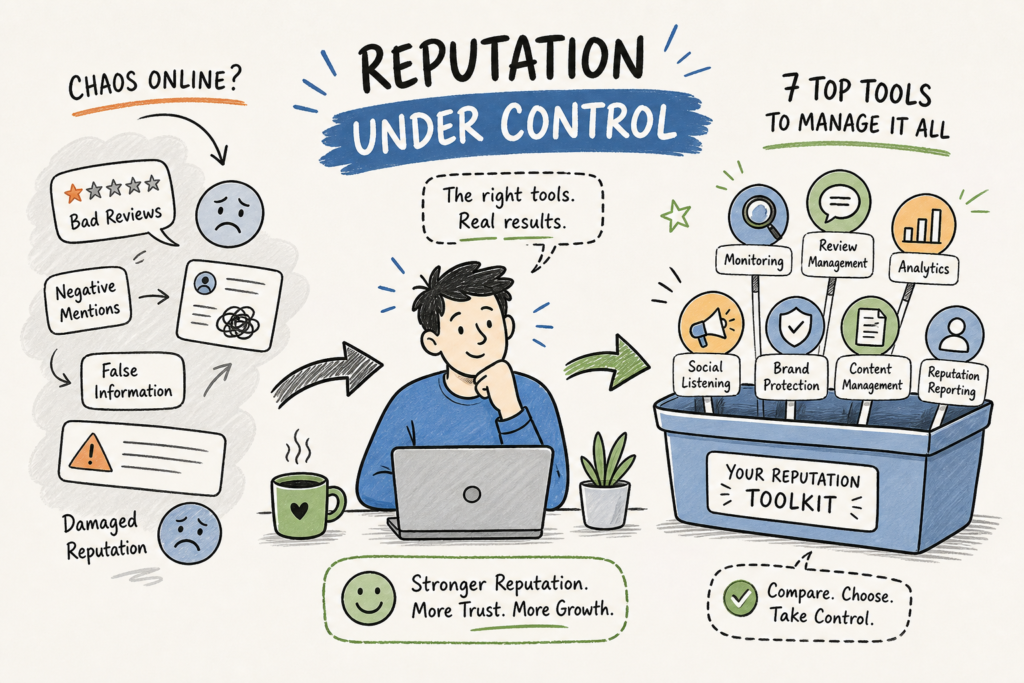
This reputation management software comparison is written for the owner of a restaurant, a local clinic, a plumbing company, or a solo consultant who wants a straight answer: which platform actually fits my situation, and what will I realistically pay? No sponsored rankings. No vague “it depends.” Just an honest breakdown of what these tools do, what they cost, and who they’re actually built for.
Many small business owners end up overspending on reputation management software. They buy what’s marketed loudest, which usually means tools built for regional chains and enterprise accounts with 50-plus locations. The price tag reflects that mismatch. In 2026, this category ranges from around $80 to $600 per location per month, figures drawn from published vendor tiers and third-party estimates on sources like Capterra and G2, and choosing the wrong platform doesn’t just cost money. It costs the hours you spend configuring something you’ll never fully use.
One more thing before the comparison: software automates. It doesn’t strategize. If you’re looking for the practical side of reputation building, how to respond to a bad review, how to get more Google reviews without sounding pushy, the Opinver blog covers that territory in depth. The two things work together. A good tool without a good strategy is just an expensive dashboard.
What you actually need before picking any platform
When most business owners start researching online reputation management tools, they end up in feature comparison paralysis. Fifty tabs open, no clearer than when they started. The better starting point is asking which three capabilities actually move the needle for a local business: review monitoring (knowing when someone says something about you), review generation (prompting satisfied customers to leave feedback), and response management (replying quickly and in the right tone). Get those three working and you’ve covered the majority of what a small business actually needs.
Everything else, sentiment analysis, white-label dashboards, API integrations, advanced reporting, matters at scale. If you’re running a single HVAC company or one dental practice, you don’t need a sentiment analysis engine. You need to know when a bad review lands so you can respond promptly. Industry guidance generally points to a 24-hour response window as a reasonable target, though the priority is simply responding before the situation escalates. Understanding this distinction before you talk to a vendor saves you from buying features you’ll never use.
Why enterprise features get sold to everyone
Reputation management platforms market to everyone but build for regional chains and agencies. Their sales targets are multi-location franchises and marketing firms, which is where the real revenue is. When a vendor leads with an automated sentiment dashboard in the first five minutes of a demo, that tool isn’t designed for a 12-table restaurant. It’s designed for a 200-location fast-casual chain with a dedicated marketing ops team. That’s your signal they may be pitching the wrong product.
Reputation management software comparison: top platforms in 2026
There are six platforms worth examining: Birdeye, Reputation.com, Podium, Brand24, SOCi, and Synup. Each does something well. None of them is the right answer for everyone. Here’s what this reputation management software comparison actually looks like once you cut through the marketing.
Birdeye and Reputation.com: all-in-one but priced for volume
Both platforms offer the broadest feature coverage in this category: review monitoring, review generation, response automation, sentiment analysis, and reporting. If you need an all-in-one reputation monitoring software solution and you’re managing multiple locations, either one is worth evaluating. The pricing reflects their real target buyer. Based on third-party estimates from comparison sources as of mid-2026, Birdeye runs approximately $299 to $499 per location per month billed annually, with the entry tier around $349 on a monthly basis. Reputation.com publishes three tiers at $80, $115, and $150 per location per month, though its Capterra listing simultaneously describes it as “custom pricing with no free trial.” That gap tells you the publicly stated tiers are a starting point, not a ceiling.
For a single-location owner, both platforms are a heavy lift. The feature set is real, but you’ll be paying for capabilities you won’t use for years. G2 reviewers in the SMB segment repeatedly flag Birdeye as expensive relative to the value for smaller accounts, citing inconsistent support and a steeper-than-expected learning curve. These aren’t dealbreakers at scale. They’re real friction points for a business running on a tight margin.
Brand24, SOCi, and Podium: specialized strengths
Brand24 is a monitoring-first platform with strong real-time sentiment tracking across social media, news, and forums. It’s genuinely useful as a brand listening tool, tracking mention spikes, competitor share of voice, and influencer activity. What it doesn’t do is review generation or response automation, which makes it a solid complement to a broader strategy rather than a standalone reputation management solution.
SOCi is built for franchise and multi-location businesses, with AI-driven review generation and response tools alongside CRM and marketing automation capabilities. It’s more than most single-location businesses need. Podium focuses primarily on messaging and review generation, with pricing publicly listed at $399 to $599 per location as of 2026. It performs well in the review generation use case but isn’t the most cost-effective option for a business that primarily needs monitoring and response management.
Reputation management software comparison: quick snapshot
| Platform | Core strength | Pricing model | Best fit |
|---|---|---|---|
| Birdeye | All-in-one reviews, messaging, listings | ~$299, $499/location/month (est.) | Multi-location businesses |
| Reputation.com | Enterprise CX + reputation management | $80, $115, $150/location/month (published); custom in practice | Regional chains, enterprise |
| Podium | Messaging + review generation | ~$399, $599/location/month (est.) | Service businesses, single location |
| Brand24 | Social listening, sentiment tracking | Subscription tiers (not per location) | Monitoring-focused use cases |
| SOCi | Franchise-focused local marketing | Custom/enterprise | Multi-location, franchise |
| Synup | Listings + reviews + agency dashboard | $79, $199, $799/month (public tiers) | Agencies, multi-location, SMBs |
Pricing reality: what these platforms actually cost
Pricing in this category is deliberately opaque. Most vendors lead with “contact sales” or “custom pricing,” which means the number you get depends on your negotiating position and how many locations you’re bringing to the table. Reputation.com has three published per-location tiers at $80, $115, and $150, but its Capterra listing describes it as “custom pricing with no free trial.” The publicly stated tiers are a starting point, not a ceiling.
Per-location vs. per-seat: the model matters more than the number
Per-location pricing, standard for Birdeye, Reputation.com, and Podium, means costs scale fast as you grow. One location at $349 per month is manageable. Ten locations is a $3,490 monthly commitment before any add-ons. Per-seat pricing, more common in social listening tools like Brand24, penalizes growing teams but works well for solo operators. Knowing the pricing model before you sit down for a demo prevents sticker shock when the contract lands.
The cost drivers most comparison articles skip
Setup fees typically run $99 to $500 for software tools and $1,000 to $3,000 for agency-style implementations, based on ranges collected from vendor disclosures and third-party review aggregators. Response automation, review widgets, and API access are frequently not included in headline pricing and show up as add-ons. SMS messaging overages can add $0.03 to $0.08 per message beyond plan limits, a real factor if you’re running review request campaigns at volume. Ask every vendor to walk through the full cost picture, not just the base subscription, before you commit.
White-label and agency options
If you manage reputation for multiple clients or run marketing for several business locations, a standard SMB plan won’t get you far. The platforms that offer genuine white-label dashboards with transparent, agency-friendly pricing are a different category entirely, and the pricing clarity here is better than most of the enterprise tools above.
Which platforms offer real white-label dashboards
Synup offers fully branded client dashboards with location grouping, client access controls, and reseller pricing, with public tiers at $79, $199, and $799 per month. Reviewshake’s agency plan runs $199 per month for 10 clients and 25 locations. EmbedMyReviews is the most affordable transparent option: $99 per month flat for unlimited clients and locations. Grade.us includes a white-label dashboard at $440 annually, or at no extra cost at 100 seats. For an independent perspective on white-label options, see this roundup of best white-label reputation management software. These numbers are specific and verifiable from each vendor’s public pricing page. Compare that to Birdeye and Podium, both of which answer agency pricing questions with “contact us,” and the contrast is clear.
When the agency tier is overkill for a small business
A single-location business owner has no business evaluating white-label platforms. It’s a common mistake made by owners who over-research and end up with a tool designed for a marketing agency serving 30 clients. If you have one location and a small review base, white-label dashboards are not your problem. Your problem is getting more reviews and responding to the ones you have.
The honest limits of reputation software
Every platform in this comparison does something useful. None of them teaches you how to respond to a negative review in a way that actually rebuilds trust. None of them tells you the best moment to ask a customer for feedback. None of them explains why your Google Business Profile is suppressing your local search visibility. Software automates the infrastructure. It doesn’t fill the strategy gap, and for most small business owners, the strategy gap is the real problem.
That’s where the Opinver blog fits into the picture, not as a software alternative, but as the practical knowledge layer that makes these tools actually work. The Opinver blog covers what the platforms skip: how to respond to negative reviews without sounding defensive, how to prompt satisfied customers naturally, and how to keep your Google Business Profile optimized for local search. Paired with even a mid-tier reputation tool, that combination gives a small business owner a complete system. Without it, you’re paying for data you don’t know how to act on.
How to build a complete reputation system on a reasonable budget
A mid-tier review management tool, or even a well-maintained free Google Business Profile, combined with a consistent strategy informed by practical content is more effective than an expensive platform used without direction. The businesses that win on reputation aren’t the ones with the most sophisticated dashboards. They’re the ones who ask for reviews when the experience is still fresh, respond to feedback without sounding defensive, and keep their Google Business Profile accurate and active. That’s a discipline, not a subscription.
How to choose without overthinking it
By now you know the tools, the pricing, and the limits. Here’s a simple decision framework based on where you actually are.
- Single location, small review base: start with Google Business Profile (free), use Brand24 for monitoring, and build a response strategy before spending on platforms.
- Single location, actively growing: Birdeye or Podium at the lowest tier, paired with a clear review request and response process.
- Multi-location or franchise: Reputation.com, SOCi, or Synup depending on budget and whether white-label capability is needed.
- Agency or marketing manager: Reviewshake or EmbedMyReviews for the most cost-effective white-label setup with transparent pricing.
Five questions to ask any vendor before you sign up
- Is pricing per location or per seat, and how does it scale as I grow?
- What’s included in the base plan versus sold as an add-on?
- Is there a free trial, or only a demo?
- What does onboarding actually look like, and is there a setup fee?
- Can I cancel monthly, or is this an annual commitment?
The bottom line
In summary, this reputation management software comparison shows that the right tool depends less on feature counts and more on your actual situation: how many locations you manage, what you can realistically spend, and how much of the strategy work you’re prepared to handle yourself. Birdeye, Reputation.com, Podium, Brand24, and the other platforms here are all legitimate options. Each does something well. None of them is the universal answer.
Software is half the equation. The businesses that consistently build strong reputations combine solid online reputation management tools with consistent fundamentals: asking for reviews when the experience is fresh, responding to feedback without sounding defensive, and keeping their Google Business Profile accurate and active. For the strategic side of that equation, Opinver is where to start. Pick your tool, build your system, and stop letting unanswered reviews cost you customers.